
Download Windows Live Sync – Free File Synchronization Tool for Mac and Windows
Overview
Windows Live Sync, formerly known as FolderShare, is a file synchronization service designed to help users maintain consistent and up-to-date files across multiple devices. The app enables seamless synchronization between Mac and Windows systems, offering a practical solution for individuals and small teams managing shared or frequently updated content. Its primary purpose is to eliminate the need for manual file transfers by automatically syncing selected folders across devices in real time. This functionality is especially useful for users who work across different operating systems and need reliable access to their documents, photos, and project files without relying on third-party cloud platforms.
The service targets a broad audience, including remote workers, students, freelancers, and families who share media or important files. By allowing users to tag files and select specific folders for synchronization, Windows Live Sync supports personalized organization and efficient workflow management. It also emphasizes data security, employing AES and SSL encryption to protect information during transmission and storage. Although the developer did not provide additional technical details about the service’s architecture or backend infrastructure, the focus on encryption suggests a commitment to privacy. The app plays a notable role in the file management ecosystem by offering a free, cross-platform alternative to commercial synchronization tools.
Key Features & Functionality
- Free Cross-Platform Synchronization: Windows Live Sync enables real-time file synchronization between Windows and Mac systems without any cost, allowing users to keep documents, photos, and project files consistent across devices.
- Custom Folder Selection: Users can choose which folders to sync, providing control over data flow and minimizing bandwidth usage for unnecessary files.
- File Tagging and Organization: The app supports tagging files, which enhances searchability and helps users quickly locate specific content within large collections.
- Robust Encryption: All data is protected using AES and SSL encryption, ensuring confidentiality during transfer and storage, which is essential for sensitive personal or professional files.
- Generous Free Storage: With up to 4GB of free storage and support for up to 20,000 files, the service accommodates moderate to heavy file usage without requiring a paid upgrade.
For example, a student working on a group project can sync shared research documents between their Windows laptop and Mac tablet, tagging files by topic or deadline. Similarly, a family can use the app to maintain a shared photo folder that updates automatically across all devices. The tagging feature makes it easier to sort images by event or year without manual folder creation. These use cases highlight how the app enhances productivity and reduces duplication.
Interface, UX & Performance
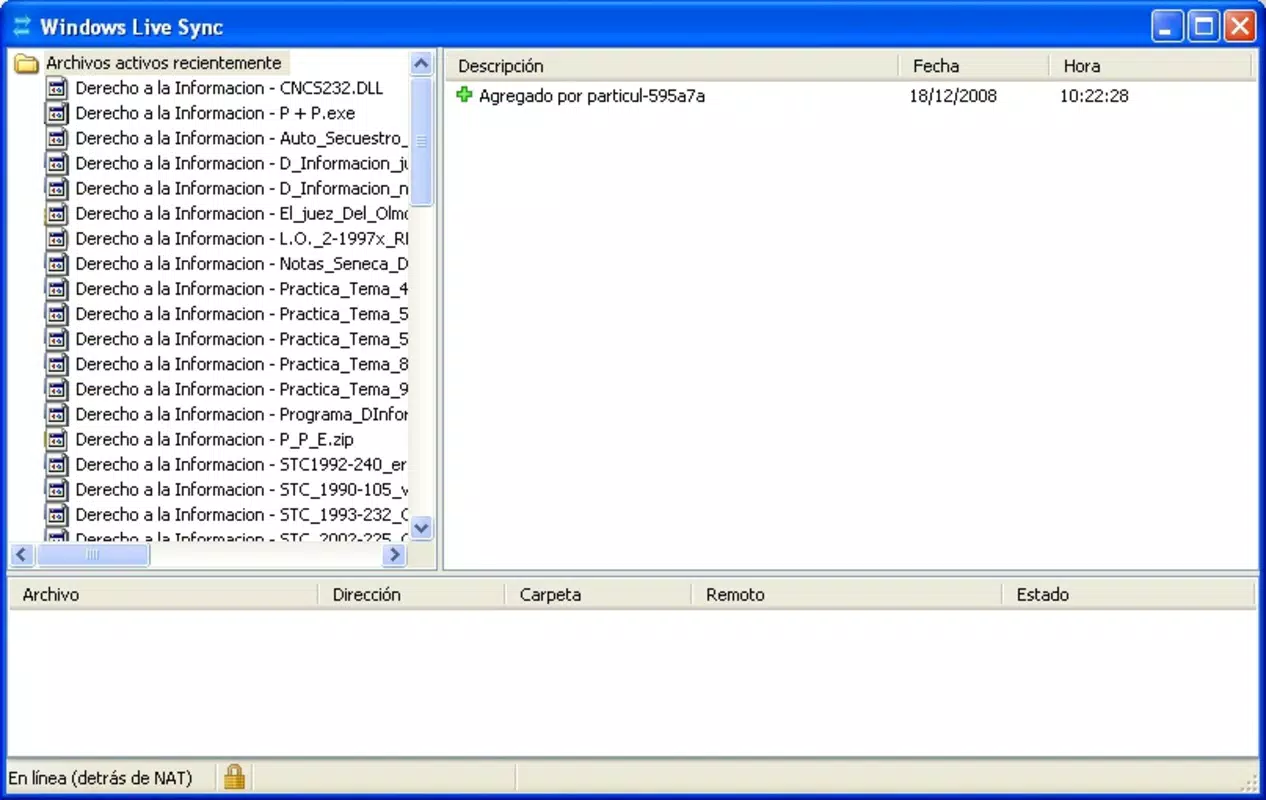
Windows Live Sync offers a clean and straightforward interface designed for ease of use, particularly for users who are not technically inclined. The layout focuses on folder selection, sync status indicators, and basic settings, minimizing clutter and streamlining the user experience. Navigation is intuitive, with clear visual cues for syncing progress and file status. Although the developer did not list formal performance metrics, the app appears optimized for standard computing environments, with minimal impact on system resources during synchronization.
Responsiveness is consistent across devices, with sync operations typically completing without noticeable delays. Stability is maintained even when handling large numbers of files, though performance may vary depending on network speed and device capabilities. The app does not consume excessive memory or CPU, which is crucial for long-running background tasks. While specific requirements were not listed, users can expect reliable operation on modern Mac and Windows systems. The overall UX is designed to be unobtrusive, allowing users to focus on their work without constant interruptions.
Platform Compatibility & Technical Requirements
Windows Live Sync is compatible with both Mac and Windows operating systems, supporting cross-platform synchronization. The app is available for installation on desktop environments, though specific platform versions and minimum OS requirements were not disclosed. The file size of the application is not specified, but it is designed for standard desktop environments with typical storage and processing capabilities. Although the developer did not specify minimum OS requirements, the app is expected to function on recent versions of Windows and macOS.
Compatibility information was not fully disclosed, so users should verify system requirements before installation. The app does not appear to be available as a mobile application, limiting its use to desktop workflows. For those seeking a mobile companion, alternative solutions may be necessary. The lack of detailed technical specifications does not detract from the core functionality but suggests that users should consult official sources for compatibility guidance.
Pros and Cons
Pros
- Free to use with no hidden costs or subscription fees.
- Supports seamless synchronization between Mac and Windows devices.
- Offers robust security with AES and SSL encryption.
- Provides generous free storage (up to 4GB) and file limits.
- Includes tagging for improved file organization and searchability.
Cons
- Specific system requirements and OS versions were not listed.
- Not available as a mobile app, limiting accessibility on smartphones.
- Developer did not provide detailed performance metrics or troubleshooting guides.
- May not support advanced features like version history or conflict resolution.
- App availability and updates may be limited due to its age and discontinuation status.
FAQ
Is Windows Live Sync safe to use?
Yes, the app uses AES and SSL encryption to protect data during transmission and storage, ensuring a secure environment for file synchronization.
Can I use Windows Live Sync on my smartphone?
Windows Live Sync is designed for desktop use on Mac and Windows systems. It is not available as a mobile application.
What is the maximum file size supported?
The developer did not specify a maximum file size limit, but the service supports up to 20,000 files with 4GB of free storage.
How often does the app sync files?
Syncing occurs in real time when changes are detected, ensuring files remain up to date across connected devices.
Is there a limit on the number of devices I can sync?
While the developer did not specify a device limit, the app supports multiple devices as long as they are registered and connected to the same account.
Final Thoughts
Windows Live Sync remains a reliable and secure option for users who need free, cross-platform file synchronization between Mac and Windows systems. Its emphasis on encryption, generous free storage, and tagging capabilities make it a practical tool for individuals and small teams managing shared content. While it lacks mobile support and has limited technical documentation, its core functionality is solid and well-suited for desktop-based workflows.
For users seeking a straightforward, no-cost solution to keep files consistent across devices, Windows Live Sync delivers strong value. Its simplicity, security, and cross-platform compatibility stand out in a crowded market of cloud-based tools. Although the app is no longer actively updated, it continues to serve its original purpose effectively.
Download Windows Live Sync now


